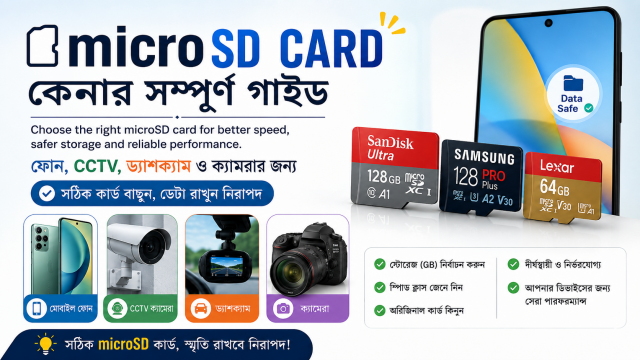
Quick answer: Choose the card for the device, not by capacity alone. Check the device’s supported card type and maximum capacity, then match the card’s speed class and endurance to phone apps, video recording, CCTV or dashcam use.
Affiliate disclosure: Some links in this guide may be affiliate links. If you buy through them, JoLLy KA Tech may earn a commission at no extra cost to you. Recommendations should be based on compatibility, safety, warranty and value—not commission. As an Amazon Associate I earn from qualifying purchases.
First check: will the device accept this capacity?
A device may support microSD cards only up to a certain capacity or file system. A larger card can be genuine and still fail in an older phone, camera, car stereo or CCTV recorder. Read the device manual or official support page before buying.
The common symbols explained
| Marking | What it describes | Simple meaning |
|---|---|---|
| Class 10 / U1 / U3 | Minimum sequential write performance under defined conditions | Important for continuous recording |
| V10 / V30 / V60 / V90 | Video Speed Class | Higher classes support more demanding video recording |
| A1 / A2 | Application Performance Class | Designed for running or storing phone-app data more responsively |
| microSDHC / microSDXC | Capacity family and formatting expectations | The device must support the card family |
| High Endurance | Product designed for repeated recording workloads | Often more suitable for dashcams and CCTV than a normal card |
Choose by use case
For an Android phone
Confirm that the phone has a microSD slot and what the manufacturer allows the card to store. For photos, music and downloads, capacity and reliability matter. If the phone supports apps on the card, an A1 or A2 marking may be relevant, but the phone must also support the required features.
For CCTV or a home security camera
Continuous recording repeatedly writes and overwrites data. Prefer a card specifically sold for high-endurance recording, with the capacity and speed supported by the camera. Review the camera’s estimated recording duration rather than assuming a card will keep every day forever.
For a dashcam
Heat, vibration and constant loop recording are demanding. Use the dashcam maker’s recommended capacity, speed and endurance type. Replace a card that produces repeated recording errors, corrupted clips or unexpected gaps.
For a camera or action camera
Match the required Video Speed Class to the resolution, frame rate and recording mode listed in the camera manual. A fast card cannot enable a video mode the camera itself does not support.
Capacity: buy enough, but stay compatible
- Estimate how much video or photography you create in one day.
- Leave room for formatting and system use.
- For loop recording, decide how many hours or days you need before old footage is overwritten.
- Keep important footage backed up elsewhere; a memory card is not a permanent archive.
- A larger card is not useful if the device supports only a smaller maximum.
Why marketplace listings can be misleading
- One listing may combine several capacities and speeds; reviews may refer to another option.
- A copied product image may not match the card delivered.
- An unusually cheap high-capacity card can be counterfeit or falsely programmed.
- A genuine card from an unknown seller can still have unclear warranty support.
- The adapter included in the box does not change the card’s speed.
Safe checks after delivery
- Compare the model, capacity and markings with the order.
- Check packaging security and seller invoice.
- Format the card in the intended device when the manufacturer recommends it.
- Record and play back several long clips.
- Copy important test files to another device and open them.
- Do not use a suspicious card for the only copy of family photos or security footage.
Frequently asked questions
Is A2 always faster than A1?
A2 defines higher application-performance requirements, but the host device must support the relevant features. Real performance also depends on the card, device and workload.
Can I use a normal phone memory card in a dashcam?
It may work temporarily, but continuous recording is more demanding. A high-endurance card recommended by the dashcam maker is usually the safer choice.
Why does the card show less free space than the label?
Manufacturers and operating systems can calculate and reserve capacity differently, and formatting uses some space. A small difference is normal; a very large difference or corrupted files needs investigation.
Should I format the card on a computer or in the device?
Follow the device maker’s instruction. Cameras and recorders often work best when the card is formatted in the device after important files are backed up.