Quick answer: A useful AI prompt does not need difficult technical words. Tell the chatbot five things: what you want, the relevant background, who the answer is for, any limits, and the format you want. Then improve the result with one short follow-up instead of starting again.
Affiliate disclosure: This guide may contain affiliate links. If you buy through them, JoLLy KA Tech may earn a commission at no extra cost to you. Any product suggestion should be based on compatibility, safety, warranty and value—not commission. As an Amazon Associate I earn from qualifying purchases.
সহজ কথা: AI-কে পরিষ্কারভাবে বলুন—কাজ কী, কার জন্য, কতটা ছোট বা বিস্তারিত, আর কোন ফরম্যাটে উত্তর চান। सरल बात: AI को काम, संदर्भ, सीमा और उत्तर का रूप साफ-साफ बताइए।
Why vague prompts give weak answers
Many beginners type only two or three words, such as “write email,” “best phone,” or “explain Wi-Fi.” The chatbot must then guess the audience, purpose, budget, location, tone and desired length. It may still produce a fluent answer, but fluent does not always mean useful or correct.
A better prompt reduces guessing. You do not have to sound formal. Natural language is enough. The goal is to provide the missing details that a helpful human would ask before doing the task.
The easy CRAFT prompt formula
Use this five-part formula whenever the first answer matters:
- C — Context: What is happening? Include the background that changes the answer.
- R — Request: State the exact task using a clear action word such as explain, compare, rewrite, plan or check.
- A — Audience: Say who will read or use the result, especially when they are a beginner, child, customer or older family member.
- F — Format: Ask for bullets, steps, a table, a short message, a checklist or another useful structure.
- T — Tests and limits: Add budget, length, language, deadline, safety rules, facts to verify or things to avoid.
Context: My parents use Android phones and are not technical.
Request: Explain how to identify a suspicious delivery SMS.
Audience: Older beginners in India.
Format: 7 short steps with one example.
Tests and limits: Use plain English, do not ask them to click any link, and mention that genuine-looking messages can still be fake.
The quickest one-line template
Help me [do the task] for [person or purpose]. The situation is [important context]. Keep it [length/tone/language]. Give the answer as [format]. Do not [important restriction].
You can save this template in a notes app. Replace only the words inside brackets. It works in ChatGPT, Gemini, Claude and many other general-purpose chatbots, although exact results will differ.
25 copy-and-edit prompts for daily use
Writing and messages
- Polite WhatsApp reply: Rewrite the message below as a polite WhatsApp reply. Keep it under 60 words, preserve all facts, and do not add a promise I did not make. Message: [paste text].
- Customer-support email: Draft a calm support email about [problem]. Include purchase date [date], order number [masked number], troubleshooting already tried [steps], and the resolution I want [replacement/refund/help].
- Short Bengali explanation: Explain [topic] in simple Bengali for a non-technical reader. Keep necessary English product names in brackets and use short sentences.
- Grammar check: Correct grammar and clarity in the text below without changing its meaning or making it sound overly formal: [paste text].
- Three tone choices: Rewrite this message in three clearly different tones: friendly, professional and firm. Keep names, dates and amounts unchanged: [paste text].
Learning and understanding
- Beginner explanation: Explain [topic] as if I have never studied it. Start with a two-sentence answer, then give one everyday example and five key points.
- Ask-me questions: Teach me [topic] step by step. First ask three short questions to understand what I already know. Do not begin the lesson until I answer.
- Compare two ideas: Compare [A] and [B] for a beginner. Explain where each is useful, its limits, and one common misunderstanding. Use a simple table.
- Memory aid: Turn these notes into ten short flashcards. Put the question first and the answer below it. Do not introduce facts that are not in my notes: [paste notes].
- Practice quiz: Create a ten-question quiz from the text below. Mix easy and medium questions. Show answers only after all questions: [paste text].
Phone and computer help
- Safe troubleshooting: My [device and model] has this problem: [symptom]. Give the safest checks first. Do not suggest factory reset, opening the device or installing unknown apps unless clearly necessary.
- Menu-name uncertainty: Explain how to find [setting] on Android. Mention that menu names may vary by phone brand and software version, and give search words I can type inside Settings.
- Error-message helper: Explain this error in plain language, list likely causes from most common to least common, and tell me which details to collect before contacting support: [exact error].
- File organisation: Suggest a simple folder structure for [photos/documents/work]. It must be easy for a non-technical user to maintain on both phone and computer.
- Backup checklist: Create a monthly backup checklist for my Android phone. Include photos, contacts, important documents and a way to confirm that the copied files actually open.
Shopping and comparison
- Needs-first checklist: Before recommending a [product], ask me up to seven questions about compatibility, use, budget, size, warranty and existing devices.
- Specification translator: Explain these specifications in plain English. For each one, tell me when it matters and when it is mostly marketing: [paste specifications].
- Compare listings: Compare these two product descriptions using only the details I provide. Mark missing information as “not stated” instead of guessing: [paste listing A and B].
- Review-pattern check: Analyse the review excerpts below for repeated strengths, repeated complaints and possible warning signs. Do not assume the reviews are genuine: [paste excerpts].
- Total-cost check: Make a checklist of costs I should verify before buying [product], including accessories, installation, consumables, subscription, delivery, return conditions and warranty service.
Planning and everyday tasks
- Small action plan: Break [goal] into tasks that take 15 minutes or less. Put the safest and easiest first, and include a simple completion checklist.
- Meal idea from available items: Suggest three simple meal ideas using only these ingredients: [list]. Ask before adding any ingredient not listed. Mention common allergy checks.
- Trip packing list: Create a packing list for [destination/type of trip] for [number] days. Separate essential, useful and optional items. Do not assume current weather; tell me to check the forecast.
- Family instruction card: Turn these instructions into a large-text emergency card for my family. Use numbered steps, simple words and no more than 120 words: [paste instructions].
- Decision helper: Help me decide between [choice A] and [choice B]. First list the decision criteria, then ask me to rate each criterion. Do not choose for me until I answer.
The follow-up prompts that improve almost any answer
The first response is a draft, not a final truth. Use focused follow-ups:
- “Make this easier for a complete beginner.”
- “Keep the facts, but cut the length by half.”
- “Which parts are assumptions rather than facts?”
- “What information is missing before this advice can be reliable?”
- “Give me a checklist I can follow on a phone screen.”
- “Use only the text I provided. Mark anything uncertain.”
- “Show two alternatives and explain the trade-offs.”
- “What could go wrong if I follow this?”
Three mistakes that reduce answer quality
1. Asking for the “best” without explaining best for whom
“Best laptop” could mean cheapest, lightest, easiest to repair, longest battery life or strongest performance. Replace “best” with measurable needs. For example: “a laptop for browser, video calls and office documents, under my budget, with nearby warranty service.”
2. Giving secret or unnecessary personal data
A prompt can be detailed without containing passwords, one-time codes, full payment-card numbers, identity-document numbers, private medical records or confidential business information. Replace sensitive data with labels such as [ORDER NUMBER], [CITY] or [ACCOUNT ENDING 1234].
3. Treating confidence as proof
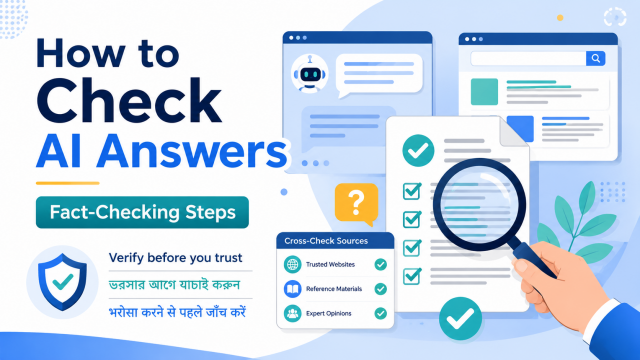
Chatbots can produce polished but incorrect details. Ask for sources when facts may have changed, open the original pages, and verify dates, model numbers and official rules yourself. This is especially important for medical, legal, financial, government and safety decisions.
A practical prompt-improvement example
Weak: “Write about phone battery.”
Better: “Write a 700-word beginner guide explaining why an Android phone battery may drain quickly. Start with safe settings checks, separate normal causes from warning signs, avoid brand-specific menu claims, and include a five-question FAQ. Do not recommend unknown cleaner apps.”
Why it is better: The task, reader, length, order, restrictions and output structure are clear. The chatbot has less room to guess.
Can one prompt work in every chatbot?
The same basic prompt structure usually transfers well, but tools have different features, browsing access, context limits, safety rules and subscription restrictions. Keep your reusable prompt provider-neutral. Add a feature-specific instruction only after confirming that the feature is available in your account.
Frequently asked questions
Do I need to learn “prompt engineering”?
No. For normal use, clear everyday language is enough. Describe the task, give the necessary context, state your limits and ask for the output format you need.
Should I write a very long prompt?
Only when the task needs detail. A long prompt full of repeated or conflicting rules can make the result worse. State each important requirement once.
Can I copy prompts from social media?
You can use them as a starting point, but remove exaggerated claims, check what data they ask you to upload, and adapt them to your real task. A dramatic “secret prompt” is not automatically better.
Why does the chatbot ignore one instruction?
The request may contain conflicting rules, too many priorities or an unclear output format. Simplify it, put the main goal first, and ask the chatbot to confirm the requirements before producing a long answer.
Is a generated answer copyright-free?
Do not assume that every generated output is risk-free or exclusive. Review it, avoid requests to imitate a living creator, check quotations and sources, and follow the tool’s terms plus the rules for where you plan to publish it.
Official references
- OpenAI prompt engineering guide
- Google guidance for writing effective Gemini instructions
- Anthropic prompting best practices
Related JoLLy KA Tech guide: build a simple monthly photo-backup routine.
Last reviewed: 27 July 2026. AI tools, menus, limits and privacy settings can change. Check the provider’s current help pages before relying on a feature or setting.