Quick answer: The most useful AI tricks are small, repeatable tasks: simplify a confusing message, turn notes into a checklist, prepare questions, compare information you provide, practise a language, organise files and create a first draft. Keep private data out and verify important facts.
Affiliate disclosure: This guide may contain affiliate links. If you buy through them, JoLLy KA Tech may earn a commission at no extra cost to you. Any product suggestion should be based on compatibility, safety, warranty and value—not commission. As an Amazon Associate I earn from qualifying purchases.
সহজ কথা: AI-কে বড় জাদু হিসেবে নয়, ছোট দৈনন্দিন সহকারী হিসেবে ব্যবহার করুন। सरल बात: AI को रोज़ के छोटे कामों में सहायक बनाइए, अंतिम निर्णयकर्ता नहीं।
A better way to think about AI chatbots
An AI chatbot is most dependable as a drafting, organising and explanation tool. It can reduce the effort needed to begin a task. It should not automatically become the authority for health, law, money, government eligibility, breaking news or safety.
The following ideas are designed for normal phone and computer users. Each one includes a copy-and-edit prompt.
21 useful AI chatbot tricks
Communication
- Turn a rough thought into a polite message.
Prompt: “Turn these notes into a friendly WhatsApp message. Keep every fact, use under 80 words, and do not add a promise: [notes].” - Make a message easier for an older reader.
Prompt: “Rewrite this in simple language with short sentences and numbered steps. Keep names, dates and amounts exactly: [text].” - Prepare a support complaint.
Prompt: “Organise this problem into a support email with subject, purchase details, troubleshooting tried and requested resolution. Replace private details with placeholders: [notes].” - Translate with context.
Prompt: “Translate this into [Bengali/Hindi/English] for a [family/customer/formal] message. Preserve names and numbers. Show any phrase that has more than one possible meaning: [text].”
Learning
- Explain one difficult term.
Prompt: “Explain [term] in three levels: one sentence, a simple example, and a slightly deeper explanation. Avoid unnecessary jargon.” - Create flashcards from your own notes.
Prompt: “Use only these notes to create 12 question-and-answer flashcards. Mark any incomplete point instead of adding outside facts: [notes].” - Practise speaking.
Prompt: “Role-play a simple [English/Hindi/Bengali] conversation at a shop. Use one sentence at a time, wait for my reply, and gently correct one mistake after each turn.” - Turn a chapter into a study plan.
Prompt: “Break this chapter into five 25-minute study sessions. Include a tiny review and self-test after each session: [chapter headings].”
Phone and digital organisation
- Create a photo-cleanup routine.
Prompt: “Give me a safe 20-minute monthly phone-photo cleanup. Start with backup verification. Do not tell me to delete anything before checking the copy.” - Name files consistently.
Prompt: “Create a simple filename rule for [bills/photos/documents]. It must sort by date and be easy to type on Android.” - Understand an error message.
Prompt: “Explain this exact error in plain language. List safe checks first and tell me what details to collect for support: [error].” - Build a family tech instruction.
Prompt: “Create a large-text instruction card for how to [restart router/call support/find backup]. Use no more than seven steps and include one warning.”
Home and planning
- Make a checklist from a goal.
Prompt: “Turn [goal] into tasks of 15 minutes or less. Put urgent, safe and reversible tasks first.” - Plan from available ingredients.
Prompt: “Suggest three simple meal ideas using only these ingredients: [list]. Ask before adding anything and remind me to check allergies and food safety.” - Create a packing list.
Prompt: “Make a [number]-day packing list for [trip type]. Separate essential, useful and optional. Tell me which details such as weather or baggage rules I must verify.” - Prepare questions for an appointment.
Prompt: “Based on these anonymous notes, create a short list of questions to ask [technician/doctor/lawyer/bank]. Do not diagnose or decide for me: [notes].”
Shopping and money organisation
- Translate product specifications.
Prompt: “Explain these specifications for a non-technical buyer. Tell me what matters for my use and what information is missing: [specs].” - Compare two offers without guessing.
Prompt: “Create a comparison using only the text below. Mark missing price, warranty, seller, return and compatibility details as not stated: [offers].” - Prepare a household expense category list.
Prompt: “Group these expenses into clear monthly categories. Do not calculate or infer missing amounts: [list].” - Build a purchase-question checklist.
Prompt: “Before I buy [product], give me ten questions about compatibility, total cost, seller, warranty, returns and service.”
Creative and family use
- Create a personalised story from safe details.
Prompt: “Write a 500-word bedtime story about a curious child and a friendly kite. Do not use real names, school, address or private family details. End with a gentle lesson about sharing.”
Five bonus tricks that save time
Ask the AI to interview you
When you do not know what details matter, prompt: “Ask me one question at a time before answering.” This is often better than writing a very long first prompt.
Ask for a phone-screen version
A wide table may be difficult on mobile. Prompt: “Rewrite this as short cards, one idea per section, suitable for a phone screen.”
Ask for assumptions
Prompt: “List every assumption you made.” Remove or correct assumptions before using the answer.
Ask for the smallest next step
Prompt: “What is the safest action I can complete in ten minutes without spending money?” This can prevent unnecessary purchases.
Ask for a reusable template
After a good result, ask: “Turn this into a blank template with placeholders so I can reuse it next month.” Save the template in your notes.
A simple daily workflow
- Describe: Write the problem in your own words.
- Remove: Delete private and unnecessary details.
- Ask: Request one specific output.
- Review: Correct facts, tone and assumptions.
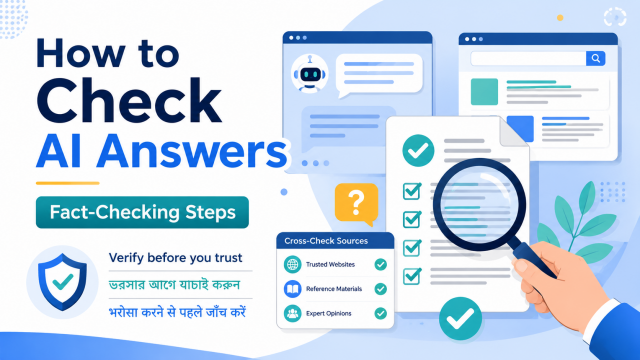
- Verify: Check dates, links, numbers and high-stakes information.
- Use: Copy only the reviewed final version.
- Save: Keep the reusable prompt, not sensitive chat data.
When AI should not be the final decision-maker
- Medical diagnosis, dosage or emergency decisions.
- Legal rights, deadlines, contracts or court action.
- Loans, investment returns, tax or large financial commitments.
- Government eligibility, official forms or identity verification.
- Electrical repair, battery damage, fire, gas or structural safety.
- Breaking news, election information or rapidly changing rules.
- Passwords, account recovery or suspicious payment requests.
AI can help you prepare questions and organise information in these areas. The final action should come from a qualified professional, the responsible authority or verified official documentation.
How to avoid becoming over-dependent
- Use the chatbot for a first draft, then make a decision yourself.
- Keep basic skills such as reading the original bill, using a calculator and checking official support pages.
- Do not ask the chatbot to confirm what you already want to believe; request drawbacks and alternatives.
- Take breaks from repeated rewriting. More versions do not always create a better decision.
- Keep family and workplace boundaries. Not every message or conversation needs to be uploaded.
Useful low-cost accessories—only when they solve a real problem
An AI workflow does not require special hardware. For frequent typing, a comfortable keyboard or stable phone stand may help. For calls, a basic headset with a clear microphone may help. For backups, a compatible USB drive or external storage may be useful. Check compatibility and warranty before buying, and do not purchase an accessory merely because a chatbot suggested it.
Related guides: make a safe laptop riser with household items and build a small family tech emergency kit.
Frequently asked questions
Which AI chatbot is best for everyday use?
The best choice depends on language quality, device support, privacy controls, features and price in your region. Try the same harmless task in available tools and compare clarity, sources and ease of use.
Do I need a paid plan?
Many everyday drafting and explanation tasks can be done with free access, subject to changing limits. Pay only when a specific feature, higher limit or work requirement provides clear value.
Can AI teach Bengali, Hindi or English?
It can provide practice and corrections, but it may make language or cultural mistakes. Use trusted learning material and fluent speakers for important or formal communication.
Can older family members use AI safely?
Yes, with a few rules: never share OTP or passwords, verify important information, avoid unknown links, and keep a trusted person available for payment, health, legal and account-recovery decisions.
How do I know whether an AI feature is current?
Check the provider’s official help page and the date. Features, names, access levels and regional availability can change.
Official references
- OpenAI prompt engineering guide
- Google Gemini prompt guidance
- Google warning and responsible-use guidance
- OpenAI Data Controls FAQ
Last reviewed: 27 July 2026. AI tools, menus, limits and privacy settings can change. Check the provider’s current help pages before relying on a feature or setting.