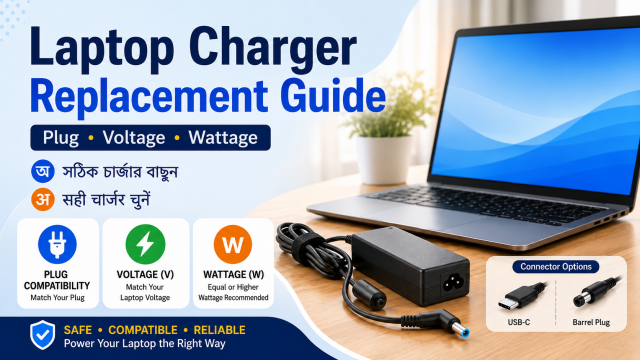
Quick answer: A replacement charger must have the correct connector and the electrical output required by the exact laptop model. For traditional barrel chargers, voltage should match the laptop requirement and the charger must provide enough current or wattage. For USB-C charging, the laptop, charger and cable must support compatible USB Power Delivery profiles.
Affiliate disclosure: Some links in this guide may be affiliate links. If you buy through them, JoLLy KA Tech may earn a commission at no extra cost to you. Recommendations should be based on compatibility, safety, warranty and value—not commission. As an Amazon Associate I earn from qualifying purchases.
Find the exact laptop model first
- Look in Settings or System Information.
- Check the label on the bottom of the laptop.
- Check the invoice or manufacturer’s support page.
- Do not search only by a family name such as “IdeaPad,” “Inspiron” or “Pavilion.”
- Some models in the same family use different chargers.
Read the old charger label
| Label item | What it means | What to do |
|---|---|---|
| Input | Power accepted from the wall | Use a product intended for your country’s mains supply |
| Output voltage (V) | Voltage sent to the laptop | Match the laptop or original adapter requirement |
| Output current (A) | Maximum current the adapter can supply | Equal or higher capability is normally required when voltage matches |
| Wattage (W) | Overall power capability | Choose enough for the laptop’s requirement |
| Polarity symbol | Positive and negative arrangement on barrel connectors | Must match |
| Model/part number | Manufacturer identification | Use it to verify official compatibility |
Why plug fit is not enough
Two barrel connectors can look similar but have different inner diameter, pin design, voltage or polarity. A connector that enters the port can still be electrically wrong. Never force a plug or use a loose adapter tip.
USB-C laptop charging is convenient but not automatic
A USB-C port may support data only, display output, charging input, or several functions. Confirm that the specific laptop port accepts charging. Then check the required USB Power Delivery wattage. A phone charger may connect physically but charge very slowly, only while the laptop is asleep, or not at all.
The cable also matters
- Use a USB-C cable rated for the required charging power.
- A cable intended only for basic phone charging may limit laptop charging.
- Check whether the charger includes a suitable cable.
- Avoid visibly damaged, loose or unusually hot cables.
- Do not assume fast data support and high charging power are the same specification.
Original, compatible or universal charger?
| Type | Possible advantage | Main caution |
|---|---|---|
| Manufacturer original | Simplest model matching and support | Higher price or limited availability |
| Reputable compatible adapter | Can offer good value | Verify exact model, output, plug and warranty |
| Universal tip charger | Useful for several older laptops | Wrong tip, voltage or polarity selection can cause problems |
| Multi-port USB-C charger | One charger for several devices | Port power may drop when several devices are connected |
Warning signs during first use
- The charging icon repeatedly connects and disconnects.
- The plug is loose or must be held at an angle.
- The adapter or connector develops an unusual smell.
- There are sparks, buzzing, cracks or exposed wire.
- The laptop reports a weak, unknown or unsupported adapter.
- Performance drops heavily because the charger cannot provide enough power.
Stop using a charger that is damaged, swollen, wet, sparking or producing an unusual smell. Do not open a sealed power adapter yourself.
A safe buying checklist
- Confirm exact laptop model.
- Check official charging requirement.
- Match connector and polarity for barrel chargers.
- Match voltage and choose sufficient wattage.
- For USB-C, confirm charging input, USB PD and cable rating.
- Check seller, warranty and return policy.
- Inspect the product before long unattended use.
Frequently asked questions
Can I use a higher-watt charger?
A compatible system generally draws the power it needs, but voltage, connector, protocol and manufacturer guidance must still match. Higher wattage alone does not make an incompatible charger safe.
Why does a 65W charger become 45W when I connect another device?
Many multi-port chargers share total power across ports. Read the power table for one-port and multi-port use.
Can I charge a laptop with a power bank?
Only when the laptop accepts USB-C charging and the power bank and cable provide a compatible USB Power Delivery output.
Is a loose charging port a charger problem?
It can be the plug, cable or laptop port. Stop wiggling the connector and have the hardware inspected before the port or motherboard is damaged further.