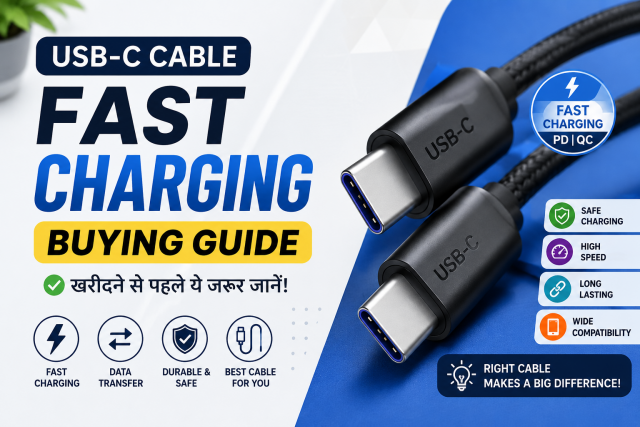
Quick answer: A USB-C plug only tells you the connector shape. It does not guarantee the same charging wattage, charging protocol or data speed. Choose a cable by what you need to connect, the power your device requires and whether you also need fast data transfer.
Affiliate disclosure: Some links in this guide may be paid affiliate links.
If you buy through them, JoLLy KA Tech may earn a commission at no extra cost to you.
Recommendations should be based on suitability, safety, warranty and value—not commission.
As an Amazon Associate I earn from qualifying purchases.
Why two identical-looking USB-C cables can work differently
Many people buy a cable only because both ends fit. That is the first check, but not the last. The phone, charger and cable work as one system. If any one part cannot support the required charging method or power level, charging may be slower.
A cable can also be good for charging but slow for copying large files. Another cable may support fast data but not the power required by a laptop. This is why the words printed on the package matter more than the appearance of the cable.
The four checks to make before buying
1. Check both connector ends
| Your charger | Your device | Likely cable |
|---|---|---|
| USB-A port | USB-C phone | USB-A to USB-C |
| USB-C port | USB-C phone or laptop | USB-C to USB-C |
| USB-C port | Older iPhone with Lightning | USB-C to Lightning |
Do not assume the cable supplied with an older charger will match a new charger. Look at the actual ports.
2. Match the cable’s charging power to the device
For a phone, the safest simple rule is to use a reputable cable that clearly states its supported charging power and is compatible with the phone and charger. For a USB-C laptop, choose a cable rated for at least the wattage required by the laptop charger.
USB-IF says compliant USB-C to USB-C cable categories use power capability markings such as 60W or 240W. A clear rating is more useful than vague claims such as “super fast.”
3. Check the charging protocol
Fast charging is not controlled by the cable alone. The phone and charger must support a compatible charging method. A high-watt cable cannot force a phone to charge faster than the phone allows.
Before buying, check the phone manufacturer’s charging page or the specification printed on the original adapter. Search using the exact phone model, not only the brand name.
4. Check data speed separately
If you only charge a phone, basic data speed may be enough. If you move large videos, connect an external SSD or use a USB-C monitor, check the advertised data capability and video support. Charging wattage and data speed are separate specifications.
A simple decision table
| Your use | What to prioritise | Avoid |
|---|---|---|
| Normal phone charging | Correct ends, compatible fast charging, reliable brand | Unbranded cable with no power information |
| Power bank | Correct connector, suitable wattage, strong strain relief | Very long cable if you do not need it |
| USB-C laptop | Clearly stated power rating that meets the laptop requirement | Phone-only cable with unclear rating |
| Large file transfer | Clearly stated data speed | Buying only by charging wattage |
| Monitor or dock | Video support, data support and suitable charging power | Assuming every USB-C cable supports display output |
What cable length should you choose?
Buy the shortest length that is comfortable for your normal use. A short cable is easier to carry and creates less clutter. A longer cable is useful beside a bed or sofa, but choose one with good build quality and a clear specification.
Five warning signs before purchase
- The listing shows no clear power or data specification.
- The title promises every charging technology for every phone.
- The product images contain many claims but the written specification is missing.
- The seller or warranty information is unclear.
- The reviews discuss a different model or cable length.
A fair home test after delivery
- Use the same phone and charger for every comparison.
- Start at a similar battery percentage.
- Keep the screen off and avoid gaming during the test.
- Check whether the phone shows its usual fast-charging message.
- Inspect both connectors after several minutes. Stop if there is an unusual smell, visible damage or uncomfortable heat.
This is a basic user check, not a laboratory wattage test. Do not advertise an exact charging speed unless you measured it with suitable equipment.
Which type should most people buy?
For normal phone use, choose a cable from a reputable manufacturer with the correct connector ends, a clearly stated charging rating and a practical warranty. Pay extra for very high power or fast data only when your device can use it.
Frequently asked questions
Does a thicker cable always charge faster?
No. Thickness alone does not prove charging power, protocol support, data speed or safety compliance. Read the specification.
Will a 240W cable damage my phone?
A properly designed USB-C charging system negotiates power between compatible devices. The phone takes supported power; the cable rating describes its capability. Use compatible, reputable products and follow the device manufacturer’s guidance.
Why does my phone say “slow charging” with a new cable?
The charger, cable or phone may not support the same fast-charging method. A damaged port, loose connector, heat or background phone use can also reduce charging speed.
Should I buy a charging-only cable?
Only when you are certain you will not need file transfer. A cable with useful data support is more flexible.