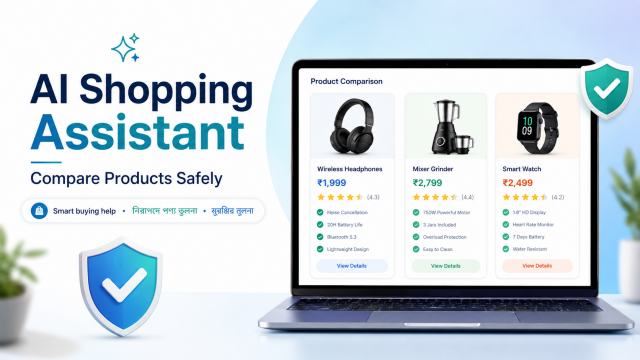
Quick answer: Use an AI chatbot to organise your needs, translate specifications and compare information—not to make the final purchase automatically. Verify the exact model, seller, price, warranty, return policy and compatibility on the retailer and manufacturer pages before paying.
Affiliate disclosure: This guide may contain affiliate links. If you buy through them, JoLLy KA Tech may earn a commission at no extra cost to you. Any product suggestion should be based on compatibility, safety, warranty and value—not commission. As an Amazon Associate I earn from qualifying purchases.
সহজ কথা: AI আপনাকে তুলনা সাজাতে সাহায্য করতে পারে, কিন্তু দাম, বিক্রেতা, মডেল ও ওয়ারেন্টি নিজে যাচাই করুন। सरल बात: AI तुलना में मदद कर सकता है, पर खरीद से पहले मॉडल, विक्रेता और वारंटी जाँचें।
What an AI shopping assistant is good at
- Turning your real needs into a buying checklist.
- Explaining technical specifications in plain language.
- Finding missing questions before you buy.
- Organising details from several listings into the same format.
- Summarising repeated positive and negative review themes.
- Calculating approximate total cost when you provide the numbers.
- Drafting questions to ask a seller or service centre.
It is less reliable when it must know live prices, stock, seller quality, regional warranty, hidden variants or a recently changed product line without current verified sources.
Start with needs, not product names
A common mistake is asking, “Which is the best router?” or “Which power bank should I buy?” This invites a generic list. A safer process begins with the use case.
I want to buy a [PRODUCT] in India.
Before suggesting any model, ask me one question at a time about:
1. devices it must work with,
2. main use,
3. budget range,
4. size or portability,
5. existing accessories,
6. warranty and service preference,
7. features I do not need.
After I answer, create a needs checklist. Do not recommend products yet.
This creates a specification based on you, not on whichever products the chatbot happens to remember.
The seven-step AI-assisted shopping method
Step 1: Create a must-have list
Separate requirements into three groups:
- Must have: incompatibility here makes the product unusable.
- Nice to have: useful but not worth a large price increase.
- Do not pay extra for: features you are unlikely to use.
Step 2: Translate specifications
Explain the specifications below for a non-technical buyer.
For each item, show:
- what it means,
- when it matters,
- a common marketing misunderstanding,
- what related specification I should check.
Do not recommend a product.
Specifications: [PASTE]
For example, a cable’s advertised wattage does not by itself confirm that your phone, charger and cable all support the same fast-charging method. Compatibility is a system, not one number.
Step 3: Build a comparison table from supplied data
Paste the exact official specifications or retailer text. Ask the chatbot to use only that material and mark missing facts as “not stated.”
Compare Product A and Product B using only the information below.
Rows: exact model, connector, power, size, weight, included items,
warranty, stated compatibility, seller, return window and total price.
Write “not stated” for missing data. Do not infer or fill gaps.
[PASTE A]
[PASTE B]
Step 4: Make the chatbot find missing risks
- Will it physically fit with a phone case, TV cabinet or laptop port layout?
- Is an adapter, cable, memory card, battery or subscription required?
- Does the warranty apply in your region and through this seller?
- Is installation required, and who pays for it?
- Does a claimed feature work only with a particular app, account or ecosystem?
- Could an older device limit the product’s speed or resolution?
- Are replacement parts or consumables available?
Step 5: Analyse reviews without treating them as proof
Analyse these review excerpts.
Group repeated comments into: reliability, compatibility, ease of use,
service, packaging, battery/heat, and value.
Count how many excerpts mention each theme.
Flag suspicious repetition or contradictions.
Do not decide that a review is genuine or fake from text alone.
[PASTE EXCERPTS]
Reviews are useful for patterns, not guarantees. One dramatic complaint may be genuine but unusual; hundreds of vague five-star comments may still reveal little.
Step 6: Calculate the real total cost
The displayed product price may not include required accessories, installation, delivery, consumables, subscription or extended warranty. Ask for a total-cost worksheet, then replace every estimate with a verified amount.
Create a total-cost checklist for [PRODUCT].
Include product price, delivery, installation, required accessories,
consumables, subscription, maintenance, electricity if relevant,
and likely replacement items. Leave all prices blank for me to fill in.
Step 7: Verify before payment
- Open the manufacturer page and match the exact model or part number.
- Check the retailer seller name, fulfilment information and return window.
- Read the warranty terms; “warranty available” is not enough.
- Confirm colour, capacity, size, plug, connector and regional variant.
- Take screenshots of the listing and offer terms if they matter.
- Pay only through the retailer’s official checkout.
- Keep invoice, serial number and packaging until the return period has passed.
How to use AI for five popular product categories
Phone charger or USB-C cable
- List phone model, charger model, port type and required cable length.
- Check supported charging standards across the phone, adapter and cable.
- Do not assume a higher wattage forces the phone to charge faster.
- Look for safety certification, seller reliability and warranty—not only wattage.
Read: when charger heating may be normal or dangerous.
Wi-Fi router
- Describe home size, wall type, floor layout, internet plan and number of devices.
- Ask whether placement could solve the problem before buying new equipment.
- Compare port speed, bands, security-update support and mesh compatibility.
- Do not expect one router to overcome every thick wall or floor.
Read: Wi-Fi router placement for an Indian home.
Pen drive or external storage
- Confirm USB-A, USB-C or dual connector needs.
- Separate read speed from write speed.
- Estimate file sizes and backup method.
- Check warranty and seller; unusually cheap high capacity can be a warning sign.
Read: USB connector, capacity and speed guide.
Smart TV
- Use viewing distance and room layout before choosing size.
- List required ports, antenna/set-top box, console and audio devices.
- Ask about operating-system support, service reach and panel warranty.
- Verify installation terms and wall-mount inclusion.
Read: Smart TV buying guide for Indian homes.
Used laptop
- Ask for exact processor, RAM layout, storage health, battery condition and charger.
- Create a 15-minute physical and software test checklist.
- Do not trust a reset desktop screen as proof of health.
- Verify serial number, invoice history where available and return terms.
Read: used-laptop 15-minute test checklist.
Affiliate-link safety for readers and publishers
Affiliate links can support a website, but they should not change the buying criteria. A useful affiliate article should:
- Clearly disclose the relationship before or near commercial links.
- Explain who the product is and is not suitable for.
- Use the exact model name instead of a vague redirect.
- Remind readers that price, stock, seller, return policy and warranty can change.
- Never use a fake countdown, guaranteed saving or invented scarcity.
- Update or remove broken and misleading links.
- Avoid claiming personal testing unless the product was actually tested.
Invisible editor note: affiliate opportunities are strongest where a guide naturally mentions a verified charger, cable, router, storage drive, laptop stand or other relevant accessory. Link only after checking the exact current listing.
Warning signs when AI recommends products
- It gives a current price without a date or source.
- It mixes specifications from two similar models.
- It says “official warranty” but cannot identify the region or warranty provider.
- It recommends an adapter without confirming voltage, plug or protocol.
- It uses “best for everyone” language.
- It repeats retailer marketing as a technical conclusion.
- It invents hands-on testing or user-review counts.
- It sends you to an unfamiliar shortened or imitation link.
Frequently asked questions
Can AI find the cheapest current price?
It may help search or organise prices when browsing is available, but prices and coupons can change quickly. Confirm the final amount, seller and terms in the official checkout before paying.
Can I paste product links into a chatbot?
Some tools can open links, while others cannot or may see only part of a dynamic page. Paste the exact model and key specifications as well, and verify the page yourself.
Can AI detect fake reviews?
It can flag patterns such as repetition or contradictions, but text alone cannot prove that a review is genuine or fake. Use review patterns as one signal among seller history, return policy, warranty and independent testing.
Should I ask one chatbot for a final recommendation?
Use it to narrow the choice and expose missing questions. Make the final decision from verified specifications, compatibility, total cost and your own priorities.
Is it safe to let an AI agent buy automatically?
Automated actions increase the importance of permission limits and final confirmation. Review the exact item, variant, seller, address, quantity, total and return terms before approving any purchase.
Official and editorial references
- Google: Learn about responses from Gemini Apps
- OpenAI: ChatGPT limitations
- JoLLy KA Tech Editorial Policy
- JoLLy KA Tech Affiliate Disclosure
Last reviewed: 27 July 2026. AI tools, menus, limits and privacy settings can change. Check the provider’s current help pages before relying on a feature or setting.